 Coder B Dev
Do you know how much wasted space your sites use?
I tested a real theory: does npm actually cost you more than it's worth? Built the same landing page two ways — with npm packages, and with none — and measured what each one actually shipped. The gap was bigger than I expected. Here's the honest breakdown.
I had been working on this theory for awhile about vanilla HTML and npm frameworks. I knew
vanilla was better, but how much? I have been working with Angular for 9 years and knew it was
bloated, but I got used to it. When AI started making websites via Lovable and the like, I saw it
used React and gave it a try. There was always something nagging at me about why am I adding all
this stuff (node_modules) to do what I want to do? It just seemed wasteful.
That nagging feeling eventually turned into me building my own workflow — a way to build and serve real sites without npm anywhere in the picture. I use vanilla HTML, CSS, and JS for every site I build now. That's not the point of this article, though — the point is just this: you have options outside of npm, and most people don't realize how much that first option is actually costing them.
So I decided to stop assuming and actually check.
Turns out there's research on this already. The median website ships JavaScript where roughly 44% of it never even runs — it just sits there, downloaded for nothing. And separately, studies on real npm projects found that around 59% of a project's declared dependencies aren't actually used in production. Half your dependency tree could get deleted and nothing breaks.

That's the industry-wide number. I wanted my own number, for something small and concrete, so I built the same landing page twice.
The setup
Two folders. Same page. Same features — dark mode, a debounced search box, tabs, an accordion, a copy-to-clipboard button with a toast, a confirm modal.
/no-npm— plain HTML, CSS, and JS. No install, no build step. Open the file, it works./npm— the same page, built with the packages a developer would actually reach for:lodash.debounce,dayjs,aos,countup.js,toastify-js,micromodal,clipboard,headroom.js, bundled with esbuild.
Nothing exotic. This is the realistic version of what most people would npm install for a page
like this.
What it actually cost
/no-npm |
/npm |
|
|---|---|---|
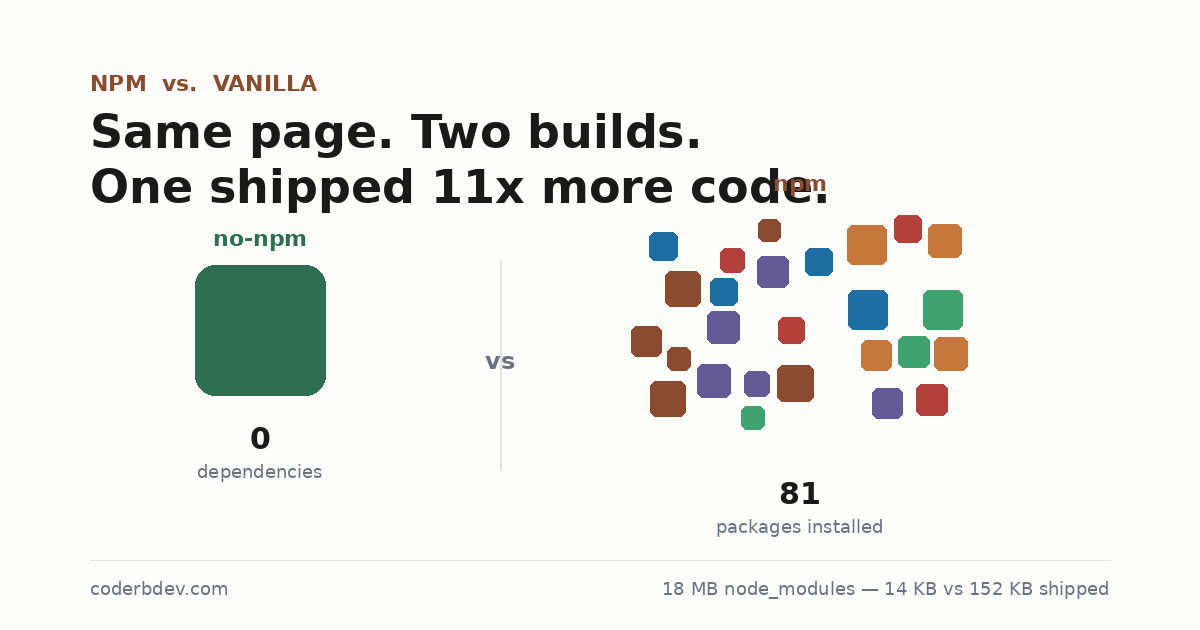
| Dependencies | 0 | 9 direct, 81 installed (direct + transitive) |
node_modules size |
— | ~18 MB |
| Shipped to the browser | ~14 KB | ~152 KB |
| Time to viewable | instant, double-click the file | npm install && npm run build — ~5.5s warm cache |
152 KB vs. 14 KB. That's about 11x more shipped to every single visitor, for a page that does the same six things either way.
And that 18 MB and 81 packages — that's before a single line of my own code runs. That number alone is what was nagging at me for years without me ever actually measuring it.
Where I'll give npm some credit
I'm not going to pretend this was a clean sweep, because it wasn't, and pretending otherwise
would make the rest of this pointless. dayjs, clipboard, and micromodal are each doing
genuinely little over what a plain JS one-liner already does — that gap is basically the whole
point of this test. But tabs and the accordion? Neither one has a realistic dedicated npm package
most people would grab. Both builds wrote the same plain JS for those. That's not a vanilla win,
that's just... the same code, twice.
So the honest version of this isn't "npm bad." It's: most of what people install, they didn't need to.
The takeaway
I'm not telling you to never run npm install again. I'm telling you to actually notice what it
costs before you reach for it out of habit — which, after 9 years in Angular, is exactly the habit
I had to notice in myself first.
And there's a way out, if you want one. This test wasn't about proving vanilla wins every time —
it was about actually checking instead of assuming either way. In this case, for this page, the
no-npm version did everything the npm version did, at 14 KB instead of 152. That's the kind of
number worth knowing before you reach for npm install out of habit.
Full repo, both versions, side by side: https://codeberg.org/CoderB/npm-vs-vanilla-demo